What We’re Solving
You’ve got dynamic data in JetEngine—like an affiliate widget or a booking script—that changes per post (Rome, Paris, London).
But every time you paste the full <script>...</script> code into a custom field, WordPress strips it out.
Here’s how to make it work — safely, dynamically, and without hacks.
The Working Solution (Straight to It)
Don’t save the full script. Save only the dynamic part (the URL) and rebuild the full tag inside Elementor.
Step 1: Save Only the URL
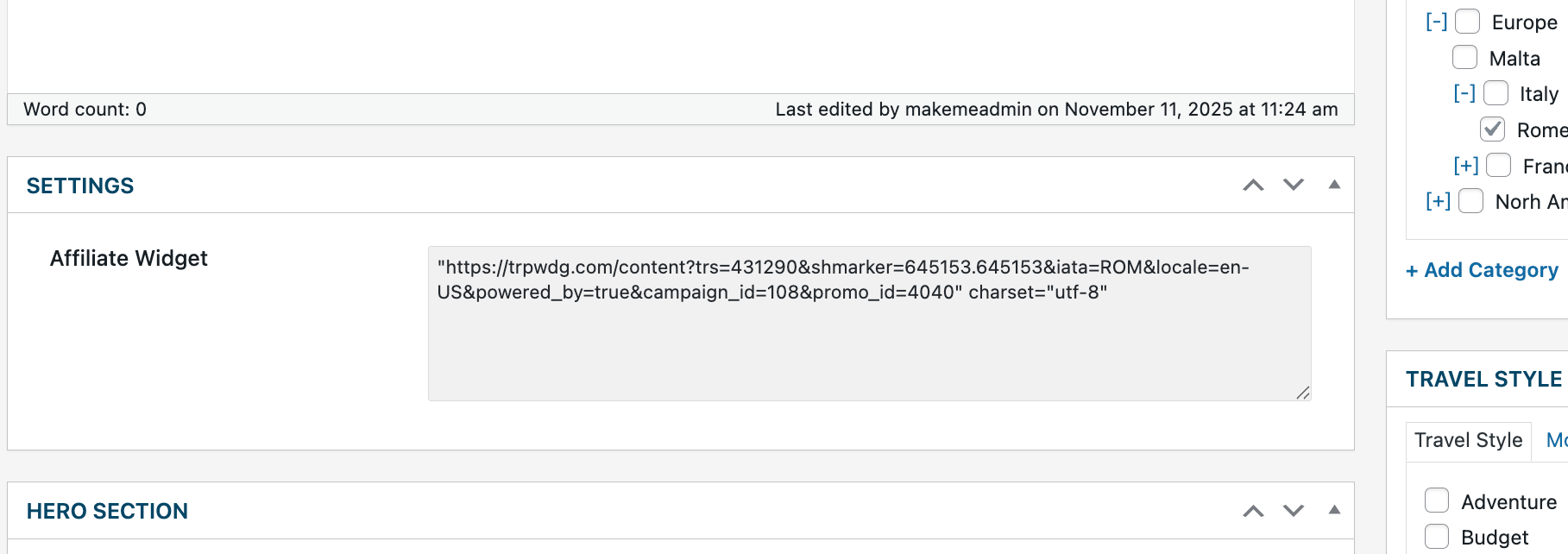
Create a JetEngine Textarea custom field.
Paste only the URL from your script, not the entire tag.
✅ Correct:
"https://trpwdg.com/content?trs=431290&shmarker=645153&iata=ROM&locale=en-US&powered_by=true&campaign_id=108&promo_id=4040" charset="utf-8"
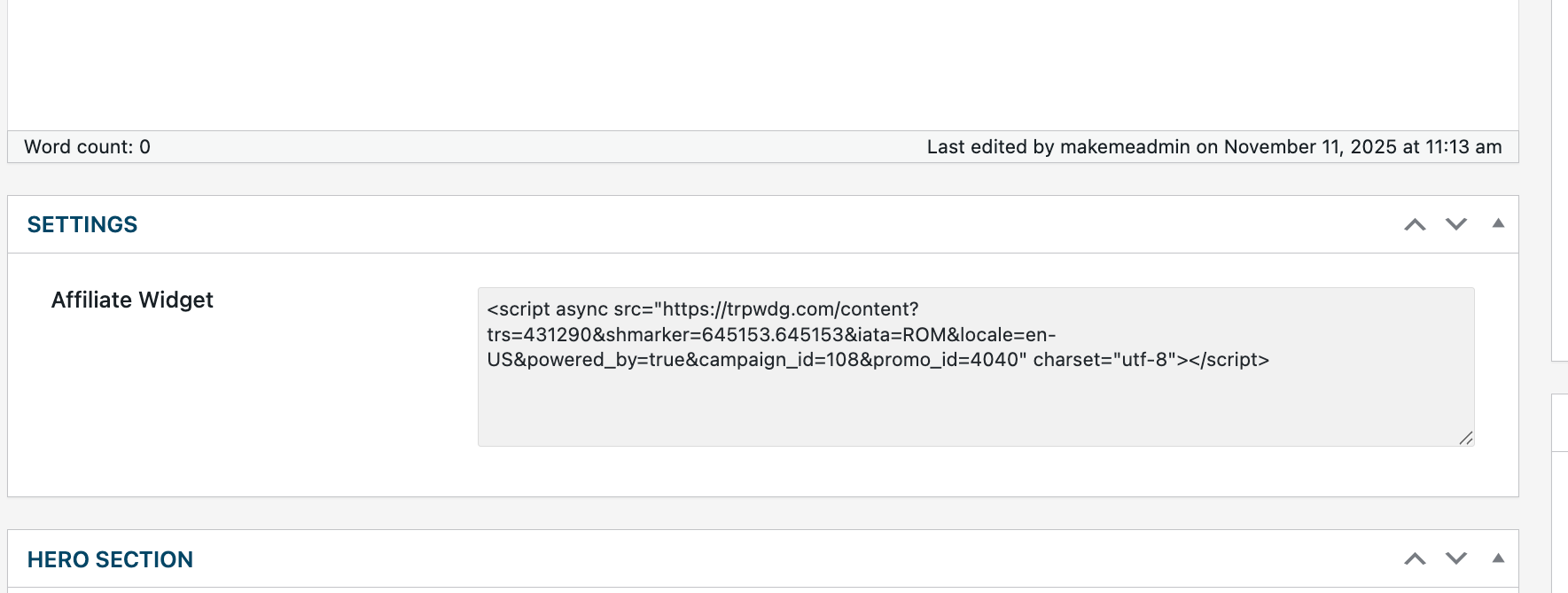
❌ Incorrect:
<script async src="..."></script>
Step 2: Use JetEngine Dynamic Field Widget
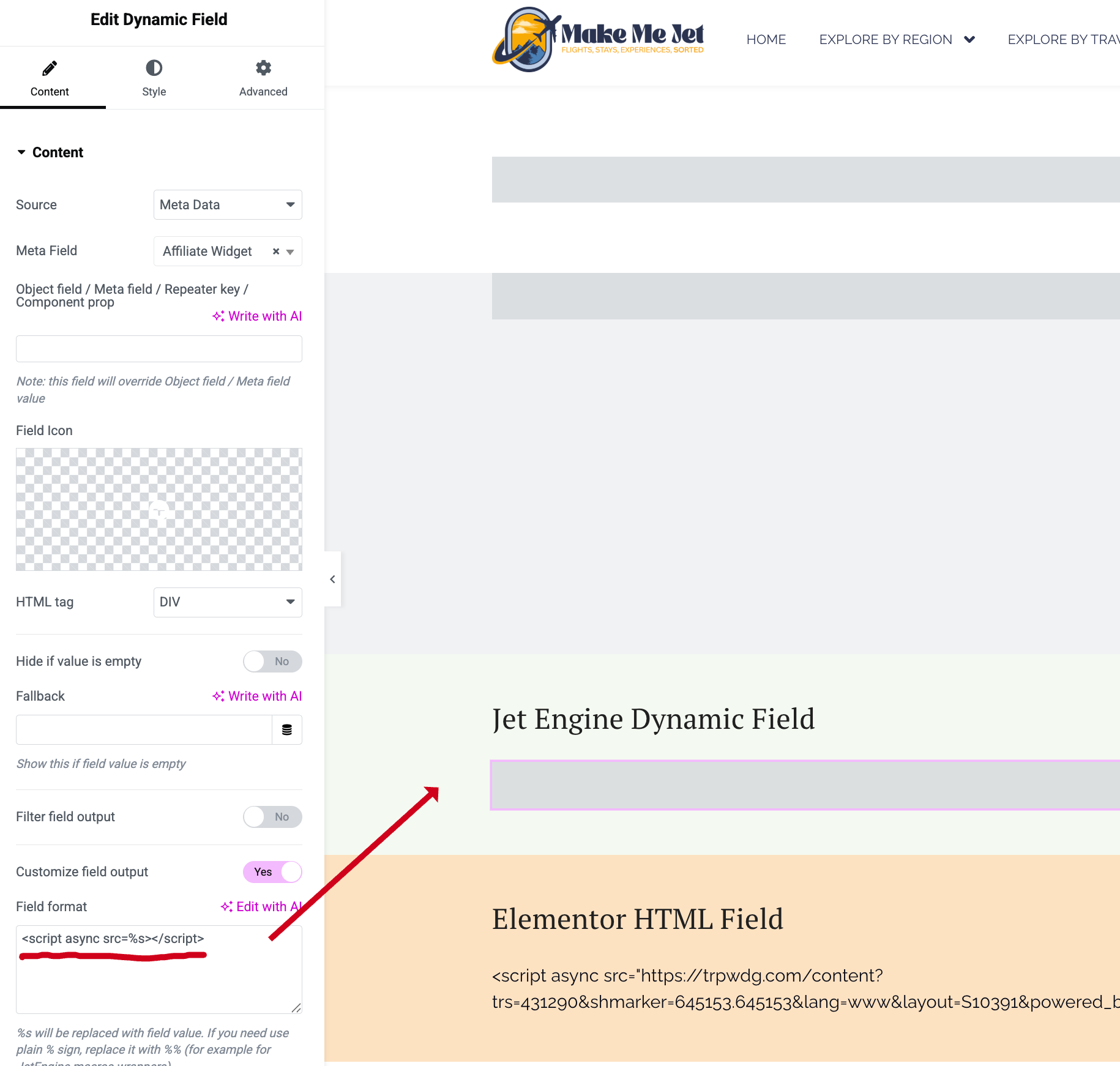
In your Elementor template:
- Add a Dynamic Field widget
- Source: Meta Data
- Meta Field: your field name (e.g.
affiliate_widget) - Filter field output: No
- Enable Customize field output
- In Field format, enter:
<script async src=%s></script>(Use
<script async src="%s"></script>if your field value doesn’t include quotes.)
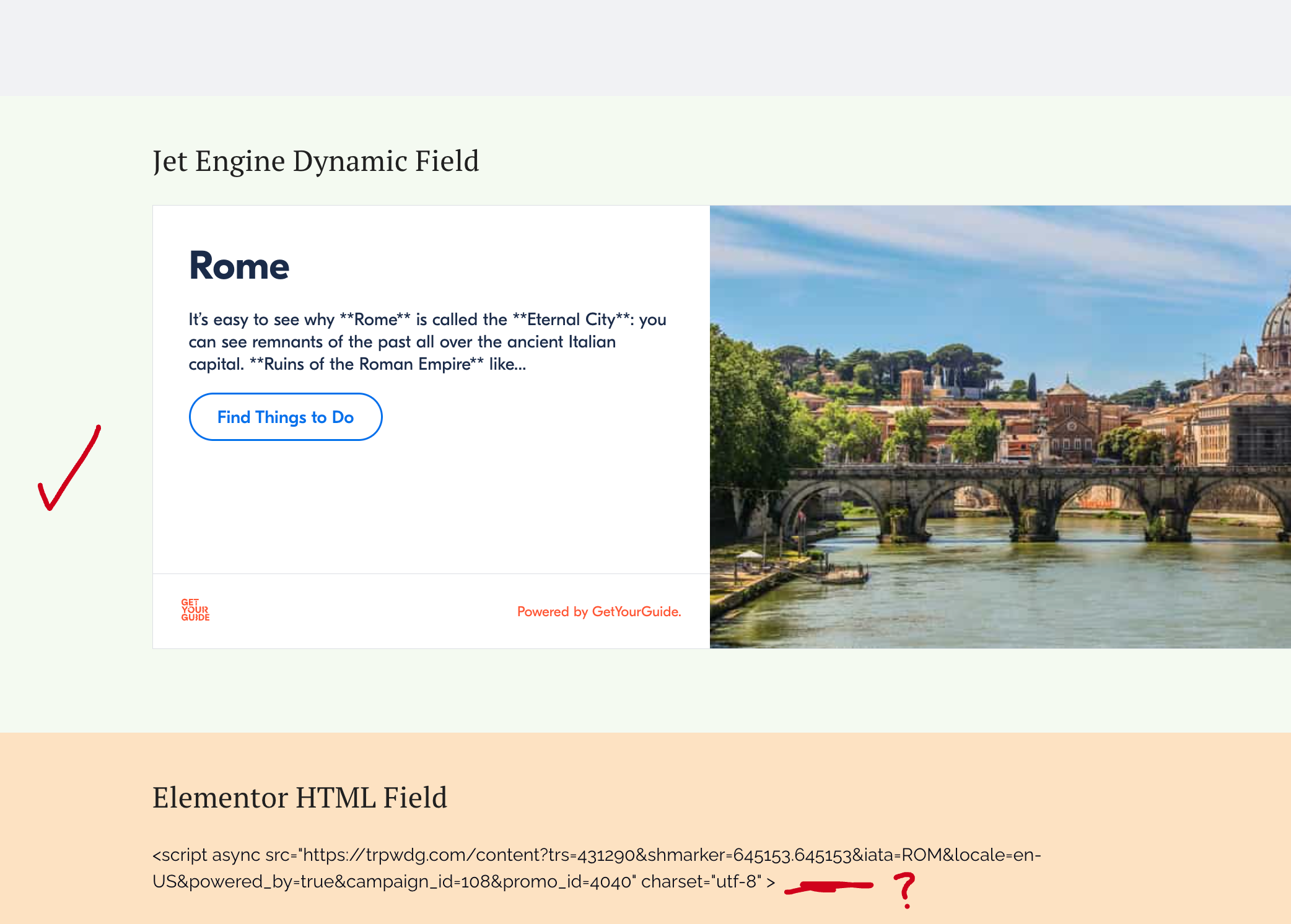
That’s it — JetEngine injects the saved URL into %s, renders the tag, and your widget loads perfectly.
Why It Works
WordPress strips <script> tags for security (XSS prevention).
By splitting your data:
- The URL stays safe (just text, no scripts)
- The template builds the final HTML safely through JetEngine’s “Customize output”
You’re effectively bypassing sanitization safely — without disabling protection.
Common Mistakes (and Why They Fail)
Attempt 1: Pasting full <script> → stripped or blank.
→ WordPress blocks unsafe code on save.
Attempt 2: Using Elementor HTML widget with Dynamic Tag → blank.
→ Elementor sanitizes dynamic fields automatically.
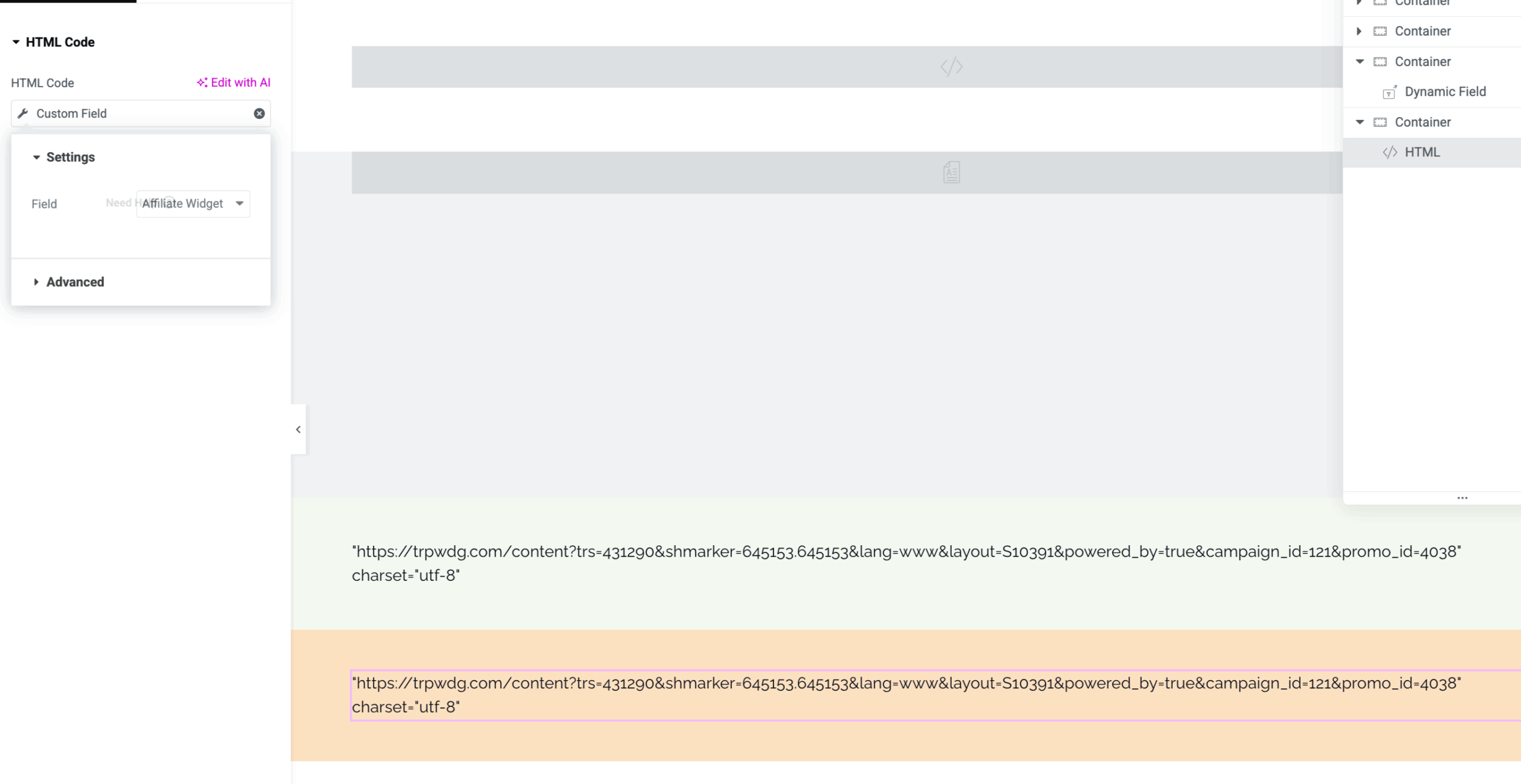
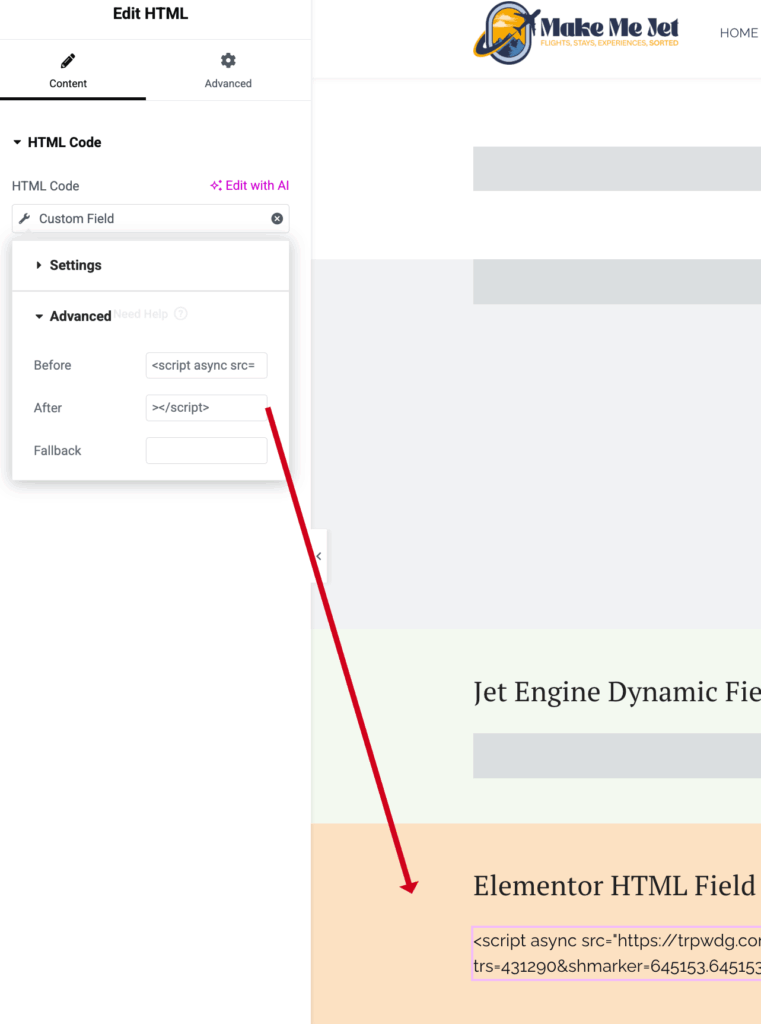
Attempt 3: Using “Before / After” fields in HTML widget → prints as text.
→ Elementor escapes < > symbols to prevent injection.
Conclusion
When embedding dynamic JavaScript in JetEngine:
Save only the safe data, rebuild the tag in the template.
This keeps your setup secure, maintainable, and fully dynamic — ideal for affiliate widgets, tracking scripts, or API-driven embeds.
Pro Tip (from ElementHero 💡):
You can use the same logic for iframes, inline styles, or dynamic embeds — just store clean data and rebuild your wrapper with JetEngine’s field formatter.